Understanding dialogue on your favorite TV shows can be frustrating when you have hearing loss. Even with well-programmed hearing aids, TV speaker quality varies, room acoustics create echo and reverberation, and other viewing accessories often cut off audio for everyone else in the room. This is where TV streamers become game-changers for hearing aid users.
Why TV Streamers Matter
A TV streamer connects to your television and converts the audio into a wireless signal that transmits directly to your hearing aids. The result? Crystal-clear dialogue customized to your hearing loss prescription, with no delay between what you see and what you hear. The audio quality matches what you experience when streaming phone calls or music from your smartphone, and it doesn't interfere with sound for others watching with you.
In my clinic, TV streamers are the most popular accessories we dispense. When you stream audio directly from your TV, background noise and music don't interfere with understanding dialogue. You can pull out every word clearly.
What Makes the StarLink Edge Special
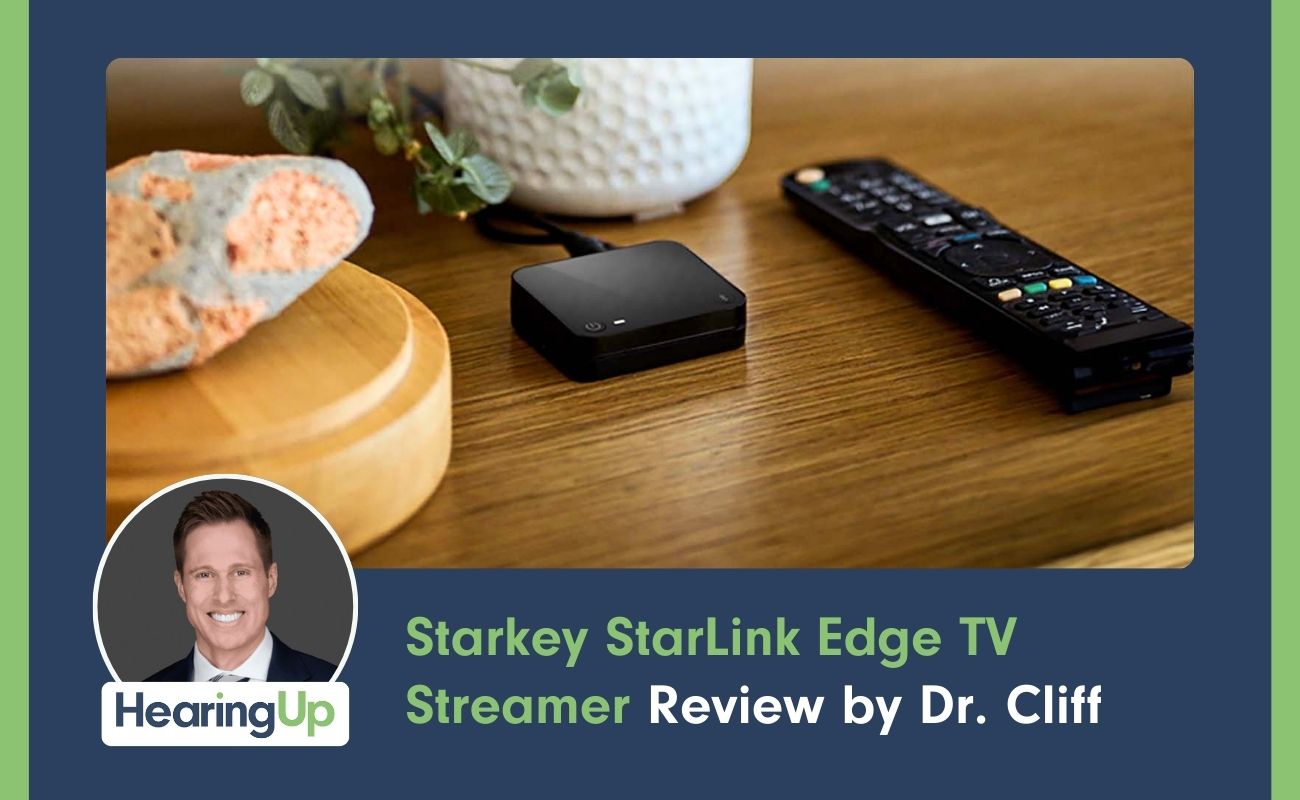
Starkey released the StarLink Edge TV streamer in 2024 alongside their Edge AI hearing aids, and it remains compatible with newer models like the Omega AI. What sets this device apart is its use of Auracast technology.
Auracast is a form of broadcast audio made possible by LE Audio Bluetooth. This new Bluetooth standard provides better streaming sound quality and lower battery drain compared to older technology. The revolutionary feature? You can stream audio from this device not just to Starkey hearing aids, but to virtually any wireless device with LE Audio Bluetooth and Auracast compatibility.
The physical size is impressive too. This is the smallest TV streamer available from any hearing aid manufacturer. You can easily hide it behind a flat-screen TV mounted close to the wall. Other TV streamers with similar dimensions lack Auracast capability, making this a unique option.
Setup and Connectivity
The device features three ports on the back: a USB-C power port, an optical audio port for a Toslink cable (digital audio), and a 3.5mm headphone jack for analog audio. On top, you'll find a power button and Bluetooth pairing button. The back displays an Auracast broadcast name and code—write these down, as you'll need them later.
The USB-C power cable can plug into your TV's USB port or use the included wall adapter. For audio connection, the optical port is your best choice. Almost every TV manufactured in the past decade includes an optical audio port, and using it means you won't disrupt audio for others watching with you. If you use a soundbar, you can run both the TV streamer through the optical port and the soundbar through the ARC port using an HDMI cable.
Your hearing care professional should pair your Starkey hearing aids with the TV streamer and customize the audio settings. This is a significant reason to avoid purchasing online and attempting to pair devices yourself—the audio won't be optimally configured. If needed, pairing involves plugging in the streamer, rebooting your hearing aids, and pressing the Bluetooth pairing button until the blue light turns solid.
Real-World Performance
Once paired, streaming happens automatically when you turn on your TV. You can control the experience through your smartphone app, adjusting streaming volume independently from your hearing aid volume. This means you can increase microphone levels if someone wants to talk during a commercial without losing the TV audio.
The app also provides equalizer controls to adjust bass, mids, and treble for optimal sound. If you use an Apple Watch, you can quickly adjust hearing aid volume directly from your wrist. Some hearing aids can be programmed with tap controls to pause and resume audio—double-tap your ear to pause during commercials, then double-tap again to resume.
Auracast Capability Beyond Starkey
The Auracast feature truly shines when using devices other than Starkey hearing aids. I tested this with Samsung Galaxy Buds Pro 3 and a Samsung Galaxy S25 (note: Apple devices don't support Auracast yet). Through the phone's settings, I accessed "Listen to Auracast broadcast," entered the code from the bottom of the streamer, and instantly received TV audio in my wireless earbuds.
The process requires re-entering the password each time you reconnect, which is a minor inconvenience. The code printed on the device is small and difficult to read, so keeping a written copy handy helps.
Whether you use wireless earbuds or hearing aids from another manufacturer with Auracast capabilities, you can access the same streamer. This versatility makes it valuable for households with multiple users who have different devices.
Range Testing
Connection strength exceeded my expectations. Walking outside and down the street, I maintained a solid connection for approximately two houses away from my home. The audio only became robotic and eventually disconnected when I reached the neighbor's yard two doors down. When walking back, the connection automatically resumed around one house away. This range far surpasses what most people need for typical use around their home.
Investment Considerations
The StarLink Edge TV streamer costs roughly double what other manufacturer-specific TV streamers cost. However, those alternatives only work with their proprietary hearing aids and cannot connect to other devices. While you'll pay more compared to brand-specific streamers, you'll pay considerably less than commercially available Auracast transmitters, which cost several thousand dollars.
The versatility justifies the price difference. You're not just purchasing a TV streamer for your current hearing aids—you're investing in a device that works with any Auracast-compatible wireless device you might use now or in the future.
Schedule Your Consultation
If you're struggling to understand dialogue on TV and want to explore how the right accessories can transform your viewing experience, I encourage you to find a hearing care professional through the HearingUp Provider Network. Every provider in our network has been personally vetted and is committed to following comprehensive best practices, including Real Ear Measurement to verify your hearing aids are programmed correctly.
Our network members understand how to properly set up and customize TV streamers to match your specific hearing loss prescription. They'll take the time to ensure you're getting maximum benefit from your hearing treatment, whether that's through programming adjustments, accessory recommendations, or ongoing support.
Visit HearingUp.com to find a qualified provider near you and schedule your consultation today. You deserve to enjoy your favorite shows without constantly asking "What did they say?"





.jpg)


